Tread®
GarminAuto & Vehicles
3.9134.00 Reviews
- Version
- 3.01.27
- Installs
- 100.00K
- Age Rating
- Everyone
Screenshots
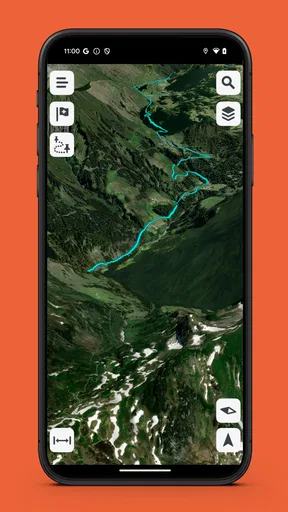
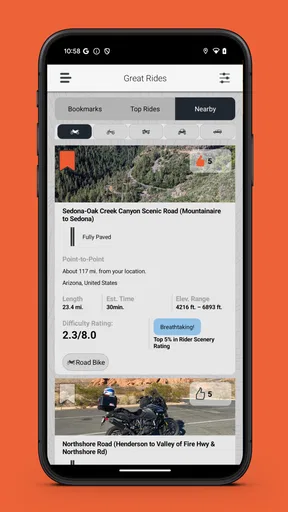
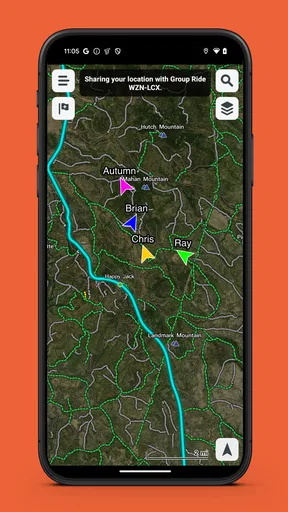
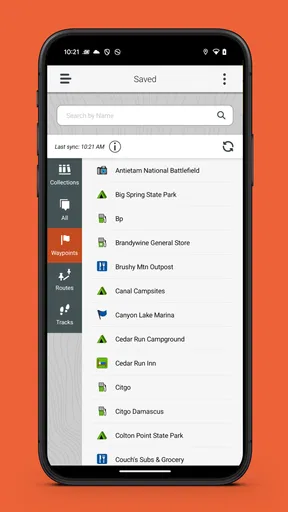
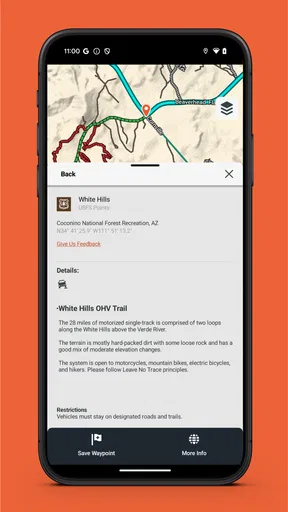
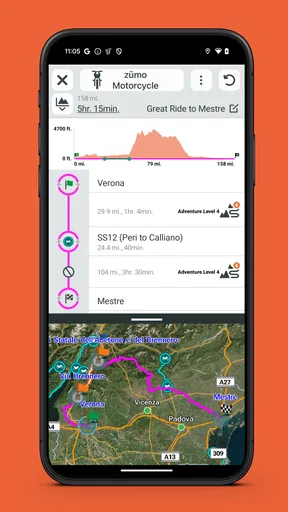
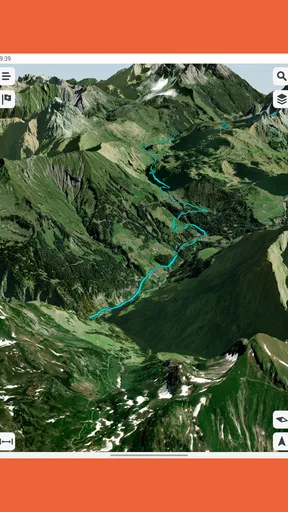
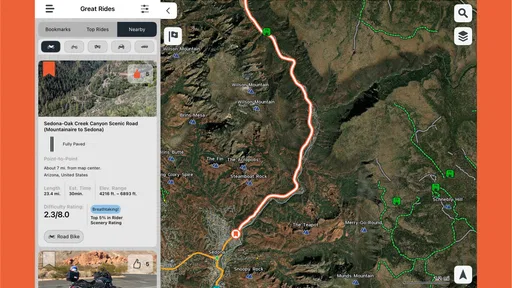
Our Review of Tread®
 Analysis by Appyee
Garmin’s Tread® is an off-road connectivity app that makes the most sense when your driving plans extend beyond ordinary city navigation. I found its appeal less in replacing every navigation tool on a phone and more in supporting a connected outdoor-driving setup, where staying oriented and keeping trip information together matters as much as reaching a destination. It is free, aimed at everyone from a content-rating perspective, and developed by Garmin for Android devices running at least version 9 of the operating system.
My overall view is straightforward: Tread® is a useful companion for Garmin-minded drivers who spend real time away from paved routes, but it is not automatically the best choice for someone who only needs everyday turn-by-turn directions. The difference comes down to context. A normal map app is usually quicker for a commute, while Tread is more interesting when the journey itself involves trails, changing conditions, and a need to remain connected with an off-road routine.
Where Tread® earns its place
The app sits in the Auto & Vehicles category, which is a better description of its purpose than calling it a general travel app. Its focus is the relationship between a driver, a vehicle, and an outdoor route. That focus changes how I judge it. I am not looking only for the fastest route or the cleanest city map. I am looking at whether the app helps me prepare for a drive where the road may become less obvious and where stopping to reorganize information can be inconvenient.
In that setting, the strongest quality is concentration. An off-road trip can involve a destination, a meeting point, a fuel stop, a campsite, a trail entrance, or a return route that does not look as simple as the outward journey. Keeping those details in one driving-oriented environment is more practical than jumping between a standard map, a messaging app, saved notes, and a separate vehicle accessory. The app’s value grows as the trip becomes more involved.
I also appreciate that Garmin has kept the entry point simple. There is no purchase price to get started, so a driver can install it and decide whether it fits an existing setup without first committing money. That does not mean every useful part of an off-road workflow is automatically available in the same way, but the free starting point lowers the barrier for curious users who already own compatible Garmin equipment or are considering a more connected approach to trail driving.
The current release is version 3.01.27, and the app has reached over one hundred thousand installs. Its average rating is 3.9, based on around one thousand four hundred ratings, with roughly one hundred thirty reviews. I read that as a sign of a product with a clear audience rather than a universally loved utility: people who need its particular style of connectivity can see the point, while casual drivers may find it less compelling than familiar map software.
A realistic weekend use case
Imagine I am leaving early on a Saturday for a trail area outside town. Before moving, I want to check the planned route, make sure the vehicle setup is ready, and keep the driving information accessible without relying on a patchwork of unrelated apps. During the journey, the useful question is not simply “what is the quickest way there?” It is “how do I keep the trip organized when the route becomes the main activity?” That is where Tread feels more appropriate than a basic navigation app.
I would use it before departure rather than trying to configure everything while driving. I would review the route while parked, confirm that the phone and any Garmin hardware are communicating as expected, and only then set off. This is an important practical habit: connectivity apps are most helpful when preparation happens at home or at a safe stopping point. Treating the app as something to adjust continuously behind the wheel would undermine its main advantage.
On a group outing, the same idea becomes more useful. A convoy can be difficult to coordinate when drivers are using different map apps and exchanging information through scattered messages. Tread is better suited to a driver who wants an off-road-centered system rather than a generic map with a few saved pins. I would still agree on meeting points and communication habits before leaving, because no app removes the need for sensible group planning.
Why the Garmin connection matters
The app’s identity is closely tied to Garmin, and that is both its strength and its boundary. If I already use Garmin equipment for outdoor driving, Tread feels like a natural software companion. The experience is more coherent when the app belongs to the same ecosystem as the hardware and habits I already rely on. Instead of treating the phone as an isolated screen, I can think of it as one part of a broader vehicle-oriented arrangement.
That advantage is less persuasive for someone who has no interest in Garmin products. A free app can still require time to learn, configure, and fit into a routine. If my only goal is to find a nearby restaurant, avoid traffic, or navigate a familiar road network, I would probably choose the map application I already know. Tread’s purpose is narrower, and that narrowness is not a flaw for its intended audience; it simply means the audience should be chosen carefully.
One useful way to think about it is as a planning and connectivity layer rather than a universal replacement for every navigation tool. I would not delete my regular map app just because I installed Tread. For a long off-road day, I might use Tread as the central trip tool and keep a conventional map available for ordinary road sections or urban errands. That combination is more realistic than expecting one app to handle every driving situation equally well.
Small workflow choices that make a difference
The first practical tip is to separate planning from driving. Build or review the trip while stationary, then leave the phone alone as much as possible once the vehicle is moving. This sounds obvious, but off-road routes often invite last-minute decisions. Making those decisions before departure reduces distraction and gives me a better chance of noticing an incorrect destination or an unsuitable route early.
The second is to treat connectivity as something to test, not assume. Before a remote drive, I would open Tread, check that the intended Garmin setup is recognized, and confirm that the information I expect to use is available. A short test near home is more valuable than discovering a pairing or synchronization problem at a trailhead. This is one of the less visible trade-offs of a connected app: the experience can be excellent when the surrounding setup is ready, but preparation becomes part of the responsibility.
The third is to use the app for the journey’s structure, not just its destination. I would organize my thinking around the departure point, access route, off-road section, planned stops, and return. That approach makes Tread more useful than simply entering one final location. It also helps expose a common mistake in outdoor driving: planning the outward leg carefully while treating the return as an afterthought.
A fourth insight is that the app should not be judged solely from a quick test in town. Its reason for existing becomes clearer when a trip includes vehicle-focused planning and less familiar roads. If I install it, open it once beside my house, and compare it only with a mainstream city-navigation app, I am testing the wrong thing. The better evaluation is whether it improves a complete off-road routine from preparation through the drive home.
The meaningful friction
The main limitation is specialization. Tread is not the obvious first choice for a driver who wants a lightweight, universal navigation app. The more ordinary the trip, the harder it is to justify changing habits. For daily commuting, errands, traffic avoidance, and quick searches, a familiar general-purpose map usually has a simpler mental model. Tread becomes easier to recommend when the vehicle and the route demand more than basic directions.
There is also a learning curve created by the ecosystem itself. A driver may need to understand how the phone app fits with Garmin hardware and with the rest of the planned trip. Even when the interface is approachable, connected products ask users to think about setup, compatibility, and timing. I would not call that a deal-breaker, but I would warn a friend not to install it five minutes before heading into an unfamiliar area and expect the whole experience to explain itself.
Another limitation is that an app cannot replace judgment. Off-road driving involves conditions that can change independently of what appears on a screen. A route that looks suitable in a plan may still require caution, local awareness, and a willingness to turn around. Tread can support organization and connectivity, but it should not encourage me to treat digital guidance as permission to continue when the actual terrain or conditions say otherwise.
The rating of 3.9 reflects that mixed picture. It is respectable, but it also suggests that the experience will not be equally satisfying for everyone. I would expect the biggest difference between users to come from their expectations. Someone looking for a Garmin-centered off-road companion may find a clear purpose here. Someone downloading it as a replacement for a mainstream phone map may wonder why the workflow feels more specialized.
Who should install it?
I would recommend Tread to drivers who regularly take vehicles beyond normal paved routes, especially those already comfortable with Garmin’s approach to outdoor driving. It is also worth considering for someone preparing for a particular off-road trip who wants a more focused way to organize the journey than a collection of saved locations and messages. The free price makes experimentation sensible, provided the user is willing to spend time preparing rather than expecting instant results.
It is a better fit for deliberate drivers than for people who want a completely automatic experience. If I enjoy checking a route, arranging the trip before departure, and thinking about how the phone and vehicle work together, the app’s structure feels useful. If I want to type a location and forget about everything else, a conventional navigation app is likely to feel more natural.
I would also skip it if my driving is almost entirely urban or if I do not have a reason to use Garmin’s off-road ecosystem. Installing another vehicle app simply because it is free can create clutter without solving a real problem. The right question is not whether Tread has more functions than a basic map. It is whether its off-road focus matches the way I actually drive.
Android access and everyday practicality
Tread works on Android from version 9 onward, which covers a broad range of devices while still making the operating-system requirement worth checking before installation. I would also think about the phone itself: a clear screen, a secure mount, and a charging plan matter more on a long drive than they do during a short errand. Those are not glamorous details, but they determine whether an app remains useful once the trip becomes tiring or complicated.
The Everyone age rating makes the app broadly accessible from a content standpoint. That does not mean every driver should hand the phone to a passenger and let the setup happen while moving. I would handle route preparation before departure and use a passenger or a safe stopping place for changes. Good vehicle-app design still depends on good driving habits.
Because the app is free, I would approach it as a test of fit. Install it, explore the workflow while parked, and use it on a manageable trip before relying on it for a demanding outing. That process answers the questions that matter most in practice: does it suit my Garmin equipment, does its organization make sense to me, and does it reduce rather than add preparation work?
How it compares with familiar alternatives
Compared with a standard phone map, Tread is more purpose-built for the relationship between off-road driving and Garmin connectivity. A general map is usually the stronger choice for business addresses, traffic-aware city travel, public places, and spontaneous local searches. Tread has a more convincing role when the route is part of an outdoor vehicle activity and when the driver values a dedicated ecosystem.
Compared with using several separate tools, Tread can reduce the mental switching involved in planning an outing. The trade-off is that a focused ecosystem may feel less flexible than the broad search coverage and familiar interface of a mainstream map. I would choose the conventional option for a normal weekend drive through towns and keep Tread for trips where off-road preparation is central.
That comparison also explains why I would not rank the app simply as “better” or “worse” than alternatives. It is better at a particular job. The mistake would be expecting it to win every navigation contest. Its strongest case is not convenience for everyone; it is relevance for a specific kind of driver.
My final recommendation
After using Tread as an off-road connectivity tool, I see a focused app with a sensible place in Garmin’s vehicle ecosystem. Its free access, practical Android support, and outdoor-driving orientation make it easy to try, while its specialized workflow means it deserves a realistic test rather than an instant judgment from a city commute.
My recommendation is positive for Garmin users and regular off-road drivers, cautious for occasional explorers, and negative for anyone seeking only ordinary everyday navigation. I would install it before a planned trail trip, configure it while parked, test the connection near home, and keep a conventional map available for the parts of the journey where general navigation is simply more convenient.
In the end, Tread succeeds when I treat it as a dedicated companion for connected off-road travel instead of a universal map replacement. That clear purpose is its biggest strength, and also the reason it will not be the right app for every driver.
Verdict
Strengths of Tread®
- Simple interface makes tracking daily movement quick and convenient.
- Useful reminders can encourage users to stay consistent with their goals.
- Progress insights help identify activity patterns over time.
- Lightweight design should work smoothly on many modern devices.
- Suitable for users who prefer a focused experience without excessive features.
Limitations of Tread®
- Some features may require account creation or additional permissions.
- Tracking accuracy can vary depending on device sensors and usage conditions.
- Limited customization may not satisfy users seeking advanced analytics.
- Background tracking could have a noticeable effect on battery life.
- The app may feel too basic for experienced fitness enthusiasts.
Other Releases by Garmin
View All
Navionics® Boating
Maps & Navigation2.9

Garmin Explore™
Maps & Navigation3.5

Garmin Drive™
Auto & Vehicles3.8

Garmin Golf
Sports4.7
Similar Picks in This Category
View All
Android Auto
Google LLC4.1

maxim — order a taxi & food
PT. SITO4.7

Штрафы ГИБДД: проверка с фото
Pays LLC – Штрафы ГИБДД4.7

Номерограм – проверка авто
Авто Ассист4.8

Дром Авто
Дром4.9

Frequently Asked Questions
What is Tread® and what can I use it for?
Tread® is a navigation and trip-planning app designed for outdoor adventures, particularly motorcycle and powersports journeys. It helps users explore routes, follow turn-by-turn directions, save destinations, and organize trips with relevant points of interest. Its usefulness depends on the supported device, map coverage, and the specific Tread® services included with your subscription or compatible hardware.
Does Tread® work without an internet connection?
Tread® can support offline navigation when compatible maps and route data have been downloaded in advance, which is especially useful in rural areas with weak mobile coverage. However, not every feature works offline. Live traffic, weather updates, cloud synchronization, sharing, and some search functions may require an internet connection. Download maps before starting a trip and verify that your region is supported.
Is Tread® free to download, or does it require a subscription?
Tread® may be available to download without an upfront charge, but some navigation tools, premium mapping content, connected services, or advanced trip features can require a paid subscription or compatible Garmin equipment. Before downloading, check the current pricing and included features in the Google Play Store or Apple App Store, because availability and subscription terms may vary by country and platform.
Can I use Tread® with a Garmin navigation device or other accessories?
Tread® is designed to work closely with compatible Garmin navigation products and can provide a connected experience for planning routes, transferring trips, synchronizing saved places, and accessing selected connected features. Compatibility is not universal, so users should confirm their exact device model, operating-system version, and required permissions before purchase. Some functions may also depend on Bluetooth, mobile data, or a Garmin account.
What permissions and phone requirements does Tread® need?
Tread® generally needs location access to provide navigation and record or display your position, while Bluetooth and notification permissions may be necessary for communication with compatible devices and alerts. The app can also use storage for offline maps and mobile data for updates or connected services. Make sure your phone meets the current Android or iOS requirements and keep the app updated for the best performance.
